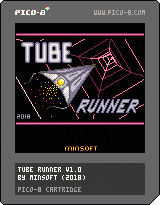
Tube Runner
by minsoft
Gameplay
Fly through the tunnel as fast as possible avoiding the walls. The tunnel is divided in to
Zones, with four Quadrants per zone. Each zone is progressively longer and more difficult than
the previous, with sharper turns, more turns, and narrower sections.
Each quadrant has a time limit - note that this is not the time limit that the quadrant must
be completed in, but the time until your ships engine power is cut (T+ engine shut-off).
Engine power is required for anti-gravity and maneuvering as well as propulsion...ie if the
time runs out your hope lies in gliding (or sliding!) to the finish. As quadrants advance, the
time limit becomes stricter. Note that your progress in the quadrant is indicated by the right
hand HUD gauge.
Hitting walls will slow you down, and reduce the energy of the ship (indicated by gauge on
left hand side of HUD). Energy will be slowly replenished during the period of flying through
the 'safe section' at the end of each ZONE (grey section with orange stripes). If energy
becomes fully depleted the ship will fail and you will lose a life. Similarly, failure to
complete a quadrant in time will cost a life. You begin the game with three lives, indicated
by the three red lights on the left hand side of the dashboard.
Points are continuously awarded for progress, with a bonus for completing each quadrant
(unless T+ shutdown occurs). Additional ships can be unlocked by making progress in the game.
Faster ships will yield higher scores than slower ones.
Controls
Insert Coin = Up / GPIO input (defaults to free play so not required!)
U/D - pitch
L/R - roll
(O)/(X) - yaw
(O)+(X) - brake
Tips
Learn to use the controls! You will need to use and know when to use roll and yaw most
effectively.
Brake just before / during the 'charge section' at the end of each zone (grey section with
orange stripes) to have more time to charge energy.
Aside from the above, don't brake!
DIP Switches (menu items)
NOTE altering these will reset game!
RESET PROGRESS
CREDITS: FREE (default) / UP / GPIO
GPIO OUTPUTS: OFF (default) / ON
GPIO Input / Outputs
IMPORTANT: GPIO pins are referred to by Raspberry Pi 'WiringPi' standards. See below for
WiringPi configuration.
DISCLAIMER: I will not be responsible for damaging your device. Please do not enable GPIO
settings, or connect anything to GPIO pins to anything if you are unsure what you are doing!
--- MINSOFT GPIO STANDARD ---
PINTYPESETTING FUNCTION DETAILS
0INPUT (PULL UP)CREDITS: GPIOCredit switchConnect switch between pin and ground (via optional
resistor, eg 1k ohm)
1OUTPUTGPIO OUTPUTS: ONStart/Warning LEDConnect LED between pin and ground (via suitable
resistor, eg 220 ohm)
2OUTPUTGPIO OUTPUTS: ONStart/Warning LEDConnect LED between pin and ground (via suitable
resistor, eg 220 ohm)
3OUTPUTGPIO OUTPUTS: ONVibration motorConnect motor via suitable circuit (eg
http://playground.arduino.cc/uploads/Learning/solenoid_driver.pdf)
4OUTPUTN/A N/A N/A
WiringPi Configuration:
//set pin 0 as input, pull up (COIN)
gpio mode 0 in
gpio mode 0 up
//set pins 1-4 as outputs
gpio mode 1 out
gpio mode 2 out
gpio mode 3 out
gpio mode 4 out