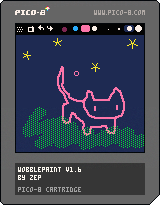
Wobblepaint
by zep
Wobblepaint started as a secret cartridge in my 2019 Advent Calendar entry, but I think
it's time for a proper release! This version has some extra controls and nicer, less crinkly
wobble.
Instructions
Your brush has a size, colour, pattern and shape that can be adjusted separately. There are 4
presets you can select and modify using keyboard shortcuts, or by clicking and dragging the
top menu bar down to reveal a palette of attributes.
Instructions
CTRL-Z, CTRL-Y (or S,F) to undo/redo
CTRL-C, CTRL-V to copy and paste between doodles
W,R to switch between doodles (or use the menu buttons)
TAB to toggle menu
Mouse wheel (or e,d) to change brush size
RMB to pick up a colour
RMB in menu colour palette to select secondary colour (used for patterns)
LMB+RMB in menu colour palette to set the background colour
To save all doodles, use the cartridge icon button in the pull-down menu.
Wobblepaint saves data to itself. To start a new wobble cart, type LOAD #WOBBLEPAINT from
inside PICO-8 and then save it as something. The data storage is reasonably efficient so you
can get around 20~100 doodles to a cart depending on complexity.
To save a gif to desktop, use the gif button to record a second of looping wobble. If you want
to record multiple doodles (e.g. for an animation or story), press tab to hide menu, CTRL-8 to
start a gif, W,R to flip through the doodles, and then CTRL-9 to save the gif.
Gamepad controls
Turn off the devkit input in the options menu ("turn off mouse") and use a gamepad:
LRUD to move the cursor
[X] to paint
[O] + L/R to undo/redo
[O] + U/D to adjust brush size
In the menu, [X] and [O] behave the same as LMB,RMB
Using Wobblepaint doodles in your cartridges
CTRL-C copies doodles in a text format that can be pasted into code (or bbs posts)
Paste the code from tab 5 into your cartridge to load and draw them:
wobdat="1f00514302d06ee1179c8d34a74033b359e834319ba6504fa4690ade340000"
str_to_mem(wobdat, 0x4300)
mywob = wob_load(0x4300)
function _draw()
cls(mywob.back_col)
wob_draw(mywob)
end
Or alternatively, copy the binary data straight out of the spritesheet and use load_library
(tab 2) to load all of the doodles into a table.
Changes
v1.5: fixed uneven frame times when recording gif and increased length to 2 seconds (was 1)