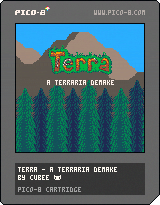
Terra - A Terraria Demake
by cubee
You can get downloadable versions of Terra and the character editor which are usable
offline from Terra's itch.io page!
Also, a member of the community has started work on a Fandom Wiki and Discord server.
I will contribute to these when I am available to do so.
A tiny fanmade demake of Terraria in PICO-8!
If you haven't already, please consider getting the original game. This is only a small
portion of what Terraria has to offer!
And if you enjoy this demake, please consider supporting me by buying one of my other games
over on itch.io: https://pixelshock.itch.io/
If you would like to play with another person, there is an (outdated) multiplayer version
available here!
Just keep in mind that this multiplayer version does lack saving functionality, and a few
changes from more recent updates.
Controls:
How to play?
(Please note that this game was made in PICO-8 0.2.5. It won't work at all on versions older
than 0.2.4 even if you manage to load it)
Change between Controller Mode and Mouse Mode by holding the pause button while in-game until
the menu pops up and pressing "TOGGLE MOUSE".
Game (Controller Mode):
🅾️ - Jump
❎ - Use item
⬅️/➡️ - Move
⬆️/⬇️ - (Tools) Aim up or down
Pause/Enter - Open crafting/inventory screen
Game (Keyboard+Mouse Mode):
Space/Right Click: Jump
Left Click: Use item at mouse location
Scroll Wheel: Change selected item.
A/D: Move left/right
E/Enter/Scroll Wheel Click - Open crafting/inventory screen
Inventory screen:
🅾️ - Move item to hovering slot or craft
❎ - Recover trashed item. (With hovering item: Move hovering item to trash)
⬆️/⬇️ - Scroll / change selected item
⬅️ - Go to Left side
➡️ - Go to Right side
General tips:
Cut trees with the axe, mine blocks with the pickaxe, and attack enemies with the sword.
To craft items, open the inventory and press left to go to the crafting column. There you can
press O/Z to craft one of the highlighted item or hold it to keep crafting that item until you
let go or run out of materials.
Tips for Controller Mode:
To change the selected item, open the inventory and press up or down, then close the
inventory.
Platforms are placed one block lower while moving horizontally to make building platform
bridges easier. Just hold the use item button and walk!
Hold down, X and left or right while holding a block to build a platform horizontally.
Hold down, X and jump while holding a block to build vertically.
Tips for Mouse Mode:
You can place and break blocks anywhere within a small circular range around the player.
Due to a helpful feature from Controller Mode, platforms are placed one block lower while
moving. Position the mouse cursor accordingly!