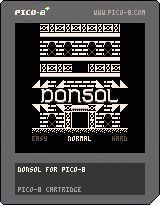
Donsol for PICO-8
by rnd
This is a PICO-8 port of Donsol by John Eternal and Hundred Rabbits, a dungeon-crawler
game built around a deck of 54 cards.
INSTRUCTION BOOKLET
RND Software thanks you for selecting Donsol for the PICO-8 system. Please read these
instructions before starting for maximum enjoyment of this game.
STORY
After a long evening of playing cards at the local tavern, you head off home to get some
sleep, but something goes wrong. You suddenly find yourself trapped in a nightmarish dungeon,
which is infested with fiends, monsters and wicked witches intent on making sure you stay
trapped in the dungeon forever. As you suddenly seem unable to find any exits, your amulet
warns you that a strong curse has been placed on the dungeon by these same monsters. Armed
only with your trusty dagger, will you be able to eliminate all the monsters, dispel the curse
that prevents you from leaving and exit the dungeon, or will you suffer the wrath of the
Donsols?
YOUR QUEST
It's clear that as long as the dungeon is cursed, it will be impossible to leave it. Since the
best way to break a curse is to destroy the creature that cast it, the only way out is to
completely purge the dungeon of evil. Luckily, the dungeon isn't just inhabited with dark and
fiendish monsters -- you can clearly see helpful shields, healing potions and mages shining
with red light. Use them carefully to stay alive while clearing the dungeon and you will
surely find your way out!
CONTROLLING THE GAME
This is a single-player game. Only use the controller connected to Control Port 1.
D-Button
On the title screen, use the left and right directions to pick the difficulty level.
During gameplay, use left and right to choose a card, or press up or down to select the "run"
or "restart" options.
Cross Button
This button is never used in this game.
Circle Button
On the title screen, use this button to start the game.
During gameplay, use this button to flip the selected card, or to use the "run" or "restart"
button when it's selected.
Pause Button
Use this button to pause the game and display the Pause Menu.
MOUSE CONTROLS
In addition, if you have a PICO-8 Mouse or compatible device, you can plug it into the
Expansion Port. The moment you click a mouse button, the game will display a mouse cursor. It
will be red when the cursor is over an interactable object and gray otherwise. To interact,
use the left, right or middle mouse button. If you want to use the regular controller again,
just press the Circle Button or the Cross Button, and mouse controls will be disabled.
On the title screen, clicking on the left or right part of the screen is used to select the
difficulty level. Clicking in the middle of the screen is used to start the game.
In game, clicking over one of the four card in your hand will select that card. Clicking over
the "Run" button will escape the room, if possible. If the game is over, clicking anywhere
restarts the game.
TITLE SCREEN
After you turn on the game, you will see the title screen. Here, you can select the difficulty
level for the game by using the left and right directions on the D-Button and pressing the
Circle Button to select. Alternatively, you can choose the "CREDITS" option to see the names
of the people responsible for making the game.
MAIN SCREEN
Your health points
Your shield's durability (if available) and defense
Your experience (number of cards flipped)
"Run" / "Restart" button
Name of currently selected card
A flipped card
An unselected card
A selected card and its cursor
Status messages
On this screen, you see your current status, the cards comprising the current room of the
dungeon and the last status message. Your task is to clear the dungeon by flipping all 54
cards of the deck. To do that, use the left and right directions on the D-Button to select a
card and then press the Circle Button to flip it. Different cards have different effects:
♠Spades and ♣Clubs -- Monsters
The spades(♠) and clubs(♣) are the dungeon's monsters. When you flip them, they
will attack you, dealing damage equal to their value. If you survive the attack, you defeat
the monster.
(Every time you flip any card, your XP value goes up by one. When it reaches 54, this means
that there are no cards left in the dungeon and you win the game.)
♦Diamonds -- Shields
The diamonds (♦) are shields and helpful red mages. When you flip them, you equip the
shield (or recruit the mage) to provide defense from monster attacks. When a monster attacks
you, the shield will reduce the amount of damage you take by its own value. If the monster is
weaker than the shield's defense, their attack will not hurt you at all!
However, there's a catch. After a monster hits you while shielded, your protection will weaken
and will be unable to withstand attacks from equal or stronger monsters without breaking and
leaving you unguarded. To prevent that, be sure to attack stronger monsters before weaker
ones!
When you flip a diamond card while already protected, you replace the old card's protection
with the new card's. You can't hold two shields at once, and the red mages' defensive spells
don't work when you have a shield.
(The "durability" and "defense" values in the HUD display the maximum attack your protection
can withstand and the amount of damage it can repel. For example, if it says "8/6", that means
you will not lose 6 health points when attacked by monsters of strength 8 or less. If there's
only one number, then your protection has not yet been touched. For example, "10" means you
have a Large Shield capable of avoiding 10 points of damage from any monster.)
♥Hearts -- Potions
The hearts (♥) are potions and helpful white mages. When you flip them, you will consume
the potion (or ask for help) and they will restore an amount of health equal to their value.
However, there's another catch. The potions' and mages' restorative magic doesn't like being
overused, and if you try to use two or more heart cards in a row, the latter ones will do
nothing. An hourglass symbol above the health meter will warn you if healing up is useless.
(No matter what, you can't have more than 21 health points.)
🃏Jokers -- Donsols
The two joker (🃏) cards are Donsols -- extremely powerful monsters that rule this
dungeon. In fact, they are so strong, that meeting them without an untouched shield is sure to
end your journey once and for all! Be extremely cautious in rooms with them.
Running away
If you feel like you can't deal with the room you're in, you may want to try running away from
it. To do that, use the up or down directions on the D-Button so that the "Run" button is
selected, and then press the Circle Button.
The curse of the dungeon may have made it very hard to navigate, but sometimes you still have
the opportunity to quickly escape into a different room with a new set of cards in it. The
flipped cards will not reappear, but you will still have to deal with the rest eventually --
hopefully with better equipment and in better health.
The situations in which you can escape depend on your difficulty level:
On EASY, you can escape any rooms that don't have monsters left or if you haven't escaped from
the previous room.
On NORMAL, you can only escape if you haven't escaped from the previous room.
On HARD, you can only escape if the room you're in doesn't have monsters left.
On EXPERT, you can't run from any rooms at all.
Luckily, the dungeon's curse only gains its full power once you've interacted with any of its
inhabitants. If you haven't attacked any monsters, equipped any defense or healed yourself up
(i.e. your XP is 0), you can always run from rooms. Use this to find a starting room that lets
you survive the dungeon more easily.
PAUSE MENU
Pressing the Pause Button at any time will open the Pause Menu with the following options:
Continue - Resume playing the game back where you left off.
Trad. Suits - The minimalist suit graphics used in Donsol may be confusing to some users. By
enabling this option, the suit graphics will be replaced with ones more like those used in
traditional playing card decks.
⬅️ English ➡️ - Change the language that the game uses by using
the left and right directions on the D-Button. The game can be played in English, in Russian,
or in toki pona.
Reset Cart - Restart the game from the title screen. This is the only way to change the
difficulty level once it's been selected.
Use the up and down directions on the D-Button to select an option and press either the Cross
Button, the Circle Button or the Pause Button to select the item you want.
HINTS AND STRATEGIES
If your shield breaks, you receive the full damage of the attack. That's why it's better to
have a weak shield that hasn't been touched by monsters than a strong one that already has low
durability.
If you've defeated all monsters in a room and you see potions and shields you don't need, it's
best to run away from that room. That way, those shields and potions may find themselves
useful later!
Donsols have an attack value of 21 -- higher than all other monsters and equal to your maximum
health. Don't even think of attacking them without a brand-new shield!
CARTRIDGE SAFETY WARNINGS
A PICO-8 cartridge is a delicate electronic device and must be handled carefully. Please abide
by the following rules to make sure the cartridge lasts as long as possible:
Do not expose the cartridge to extreme temperatures.
Do not try to dismantle or break apart the cartridge.
Keep both the cartridge's and the PICO-8 system's connectors clean. Do not use water to clean
the connectors.
RND Software and Lexaloffle Games are not liable for damage caused to the game cartridge or
the PICO-8 system if these rules are violated or if the damage is caused by abusing the game
or the system.