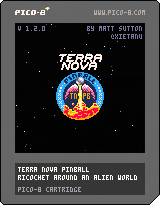
Terra Nova Pinball v1.1.0
by xietanu
Terra Nova Pinball
Ricochet around an alien world in this Pico-8 pinball table.
Basic Gameplay
Launch the ball onto the table using ⬆️/⬇️ to control the launch
power and 🅾️/❎ to release the ball.
Use the flippers (⬅️/➡️ by default, can be configured in the menu)
to keep the ball from draining out the bottom of the table, hitting targets and bumpers and
completing minigames (see below) to score points.
You have 3 balls to score as many points as you can, and record a new highscore!
If the ball drains within 15s of launching, you get a free relaunch.
Highscores are saved on the cart and can be viewed from the main menu.
Table Layout
Skillshot
Launch the ball so it hits the skillshot to score 250,000 points! Can only be got straight
after launching the ball.
Outer Lanes
If your ball goes down the outer lane, it'll be kicked back up onto the field - the first
time. After this, the lane closes and any balls that go down them will drain out of the
bottom.
These lanes reset after the ball drains, or if you light all of the targets in the associated
group (the leftmost 3 for the left lane, and the rightmost 2 for the right lane).
Minigames
Completing the following minigames can help score big points - and achieve ORBIT...
Slingshot
Shoot the ball around the top, lighting up the spinner and landing in the left kick-out hole
to score a Slingshot!
This scores 50,000 points and lights up the letter 'O' in ORBIT.
Shifting Constellation
Passing the ball through one of the gaps at the top of the table will trigger the associated
rollover and light one of the stars in this constellation.
If you light all 5, you'll increase the multiplier, applying a 2x, 3x or even 4x bonus to all
points you score. You'll also light the 'B' in ORBIT.
To help you light them all, you can shift which stars are lit left and right using the flipper
controls.
Mapping the Solar System
Bounce the ball off of the planet bumpers at the top of the table to collect data about the
solar system - the bar to the right of them tracks your progress. If you can fill it up,
you'll score 500,000 points and light up the letter 'I' in ORBIT.
However, beware of orbital drift - the progress bar will drain over time, so you'll need to
keep hitting the planet bumpers to fill it up.
Refueling the Rocket
Each time the ball passes down over one of the rollovers in each of the lanes at the bottom of
the board, the rocket will be partially refueled.
Trigger these 4 times to fill the rocket fuel gauge, and then land your ball in the kick-out
hole at the base of the rocket to ignite Blast-off!!
This scores 243,000 points, unleashes 3 balls onto the board (which will be automatically
replaced for 20 seconds!) and lights up the letter 'R' in ORBIT.
However, if you drain the ball, the gauge will empty. And if you ignite the engine before it's
fully fueled, you'll just get partial points, with no multi-ball and no 'R'.
Calibrating the Lasers
Land the ball in the rightmost kick-out hole to start some target practice to calibrate the
weapons systems.
The light in front of one of the targets will start to blink - you'll then have 30s to hit
that target. Then another will light up, and you'll have another 30s. Hit five of these
without the timer running out, and you'll score 500,000 points and light up the letter 'T' in
ORBIT.
Landing the ball in the kick-out hole while the target practice is ongoing will reset the
timer back to a full 30s, giving you a bit more time.
Achieving ORBIT
Light all 5 letters in ORBIT and you'll score 3,000,000 points and gain a bonus ball.
The letters will even reset - if you're skilled enough to light them all again.
Version History
V1.0.0 - 27/08/22
Initial release
V1.1.0 - 27/08/22
FIX: Fixed an issue where the launcher would sometimes get stuck if released with 0 power.
FEATURE: Additional paddle options optimised for mobile player.
V1.2.0 - 02/12/22
FIX: Fixed a rare out-of-bounds error that could occur during multiball.
FEATURE: Relaunching of the ball is now automatic.
GitHub Repository
The code is available in this GitHub repository.
While not as well organised as it maybe it should be (and littered with magic numbers as I
tried to save tokens!), this is hopefully an easier way of looking through the code than
reading the cart directly.
I also promise no particular wisdom, and am sure there are better ways to approach most/all of
the problems here - I just learned a lot from others in the community generously sharing their
work openly, so wanted to share in return.